Managing multiple websites for your healthcare practice means juggling your main site, blog, patient portal, and separate location domains all at once. Each needs optimization, tracking, and separate analysis.
But if you are confused about Google Search Console, you are probably missing critical performance data. Multiple properties, domain vs subdomain differences, incorrect setup, all of it adds to gaps in your organic SEO strategy.
Understanding Search Console Platform Properties fixes that. Here is exactly how to set them up, manage them, and optimize your entire online presence effectively.
Key Takeaway:
- Search Console Platform Properties track domain, subdomain, or URL prefix data separately or combined
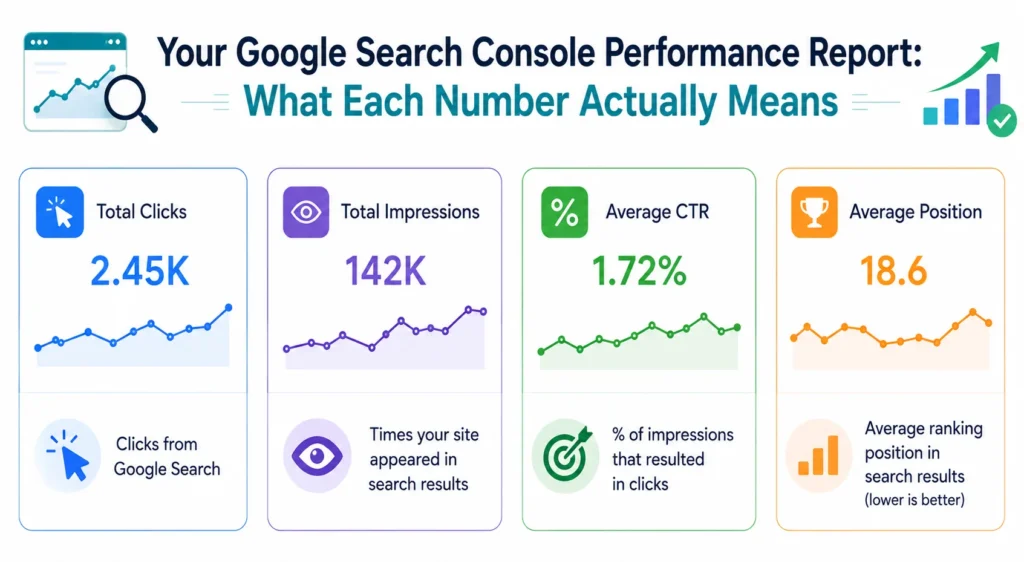
- Google Search Console performance report shows impressions, clicks, CTR, and ranking position
- Mobile user experience and responsive web design directly impact organic search performance
- Social signals from Facebook, Instagram, and LinkedIn reinforce search visibility
- External linking and image optimization capture additional organic search traffic
What Are Search Console Platform Properties?
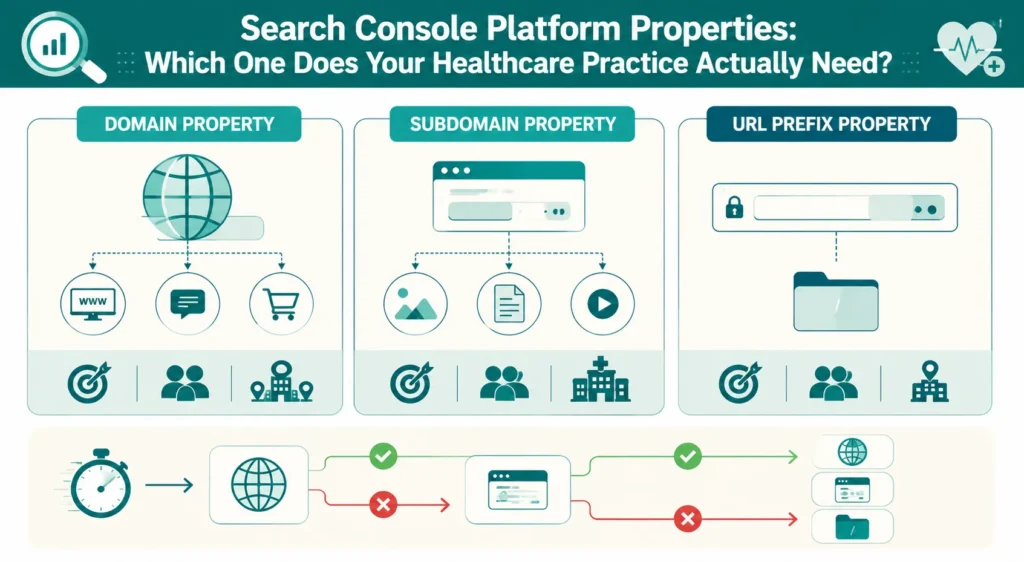
Search Console Platform Properties are the different ways you can add and track websites or sections of websites in Google Search Console.
Google gives you three options to add properties:
Domain Property: Tracks your entire domain (example.com) and all subdomains (www.example.com, blog.example.com, etc.). One property covers everything.
Subdomain Property: Tracks specific subdomains separately. blog.example.com is tracked independently from www.example.com.
URL Prefix Property: Tracks specific URL paths. example.com/blog/ is tracked separately from example.com/services/.
For healthcare practices, understanding these Search Console Platform Properties options is critical. You might have your main website as a domain property, then track your blog as a separate URL prefix property. This separation gives you detailed data about each section.
Setting Up Your Search Console Platform Properties
Start by deciding which Search Console Platform Properties structure works best for your practice.
If you have a single website, use a domain property. This tracks everything automatically.
If you have multiple domains (separate domains for different locations), add each as a separate domain property.
If you have subdomains serving different purposes (blog.yourdomain.com, patient-portal.yourdomain.com), you can track them separately as subdomain properties or track them together as a domain property.
The key decision: do you want combined data or separate data?
For most healthcare practices, domain property works best. It’s simpler. It gives you overall visibility. But if you want detailed analysis of specific sections, separate properties make sense.
Google Business Profile SEO and Search Console Properties
Your Google Business Profile appears in Google Search Console data, but it’s tracked separately.
When someone finds your practice through Google Business Profile and clicks your website, that traffic appears in your Search Console Platform Properties data as an organic search result. The Google Business Profile click is counted as a click in your Google Search Console performance report.
Optimize your Google Business Profile and your Search Console Platform Properties together. They’re interconnected. A great Google Business Profile sends traffic to your website. Your website needs to convert that traffic.
This connection is critical: local search (Google Business Profile) drives patients to your website. Your website’s performance (tracked in Search Console) determines if they book an appointment.
Google Search Console Performance Report Analysis
Your Google Search Console performance report shows exactly how your website performs in organic search.
Key metrics to track:
Impressions: How many times do your pages appear in search results. More impressions mean better visibility.
Clicks: How many people click from search results to your website. More clicks mean people find you compelling.
Click-Through Rate (CTR): Impressions divided by clicks. A 3% CTR average. Aim for 5%+.
Average Position: Where your pages rank on average. Position 1-3 is excellent, 4-10 is competitive. Position 11+ needs improvement.
Your Google Search Console performance report tells you exactly what’s working and what needs improvement. Use this data to optimize it.
Understanding Organic Search and Organic SEO
What is an organic search? It’s when someone finds your website through search engines without clicking on paid ads.
Organic search Google Analytics shows which keywords bring patients to your site. You can see:
- Which keywords drive traffic
- Which keywords convert best
- Which pages get clicks
- Which pages need optimization
Organic SEO means optimizing your website, so organic search brings qualified patients consistently.
Most healthcare practices spend money on Google Ads but ignore organic SEO. This is a mistake. Organic search typically converts better because it’s less intrusive. Someone searching organically is actively looking for your services.
The combination of organic SEO and paid ads is powerful. Organic search builds long-term visibility. Google Ads provide immediate results.
Mobile User Experience and Responsive Web Design
Your Search Console Platform Properties data reveals mobile performance trends. Mobile user experience is critical. Most searches for healthcare services happen on mobile devices. If your website doesn’t work well on mobile, patients bounce immediately.
Responsive web design means your website adjusts automatically to any screen size. It looks perfect on phones, tablets, and desktops.
Google tracks Core Web Vitals (page speed, stability, interactivity) in your Search Console Platform Properties. If your mobile user experience is poor, your Google Search Console performance report shows it through low clicks despite decent rankings.
Test your mobile user experience using Google’s Mobile-Friendly Test. Ensure your site works perfectly on phones.
Social Signals SEO: Facebook, Instagram, and LinkedIn
Social signals SEO refers to how your social media presence affects search visibility.
Active social media presence (Facebook SEO, Instagram SEO, LinkedIn SEO) sends trust signals to Google. While social doesn’t directly affect your Search Console Platform Properties rankings, it reinforces your online presence.
Facebook SEO: Complete business page information. Post regularly. Encourage reviews. Drive traffic to your website.
Instagram SEO: Use relevant hashtags. Post medical education content. Engage with followers. Link to your website.
LinkedIn SEO: Establish thought leadership. Connect with healthcare professionals. Build credibility in your specialty.
This social presence combines your Search Console Platform Properties data to create complete online visibility.
SEO External Linking Strategy
SEO external linking means getting quality websites to link to your site. These backlinks improve your search authority.
Your Search Console Platform Properties show data about external links pointing to your site. Check the links report to see:
- Which websites link to you
- Which of your pages get linked
- Link quality and relevance
- Linking opportunities
Quality external links come from:
- Healthcare directories
- Professional associations
- Local business sites
- Healthcare publications
Focus on quality over quantity. One link from Healthgrades is worth more than ten random blog links.
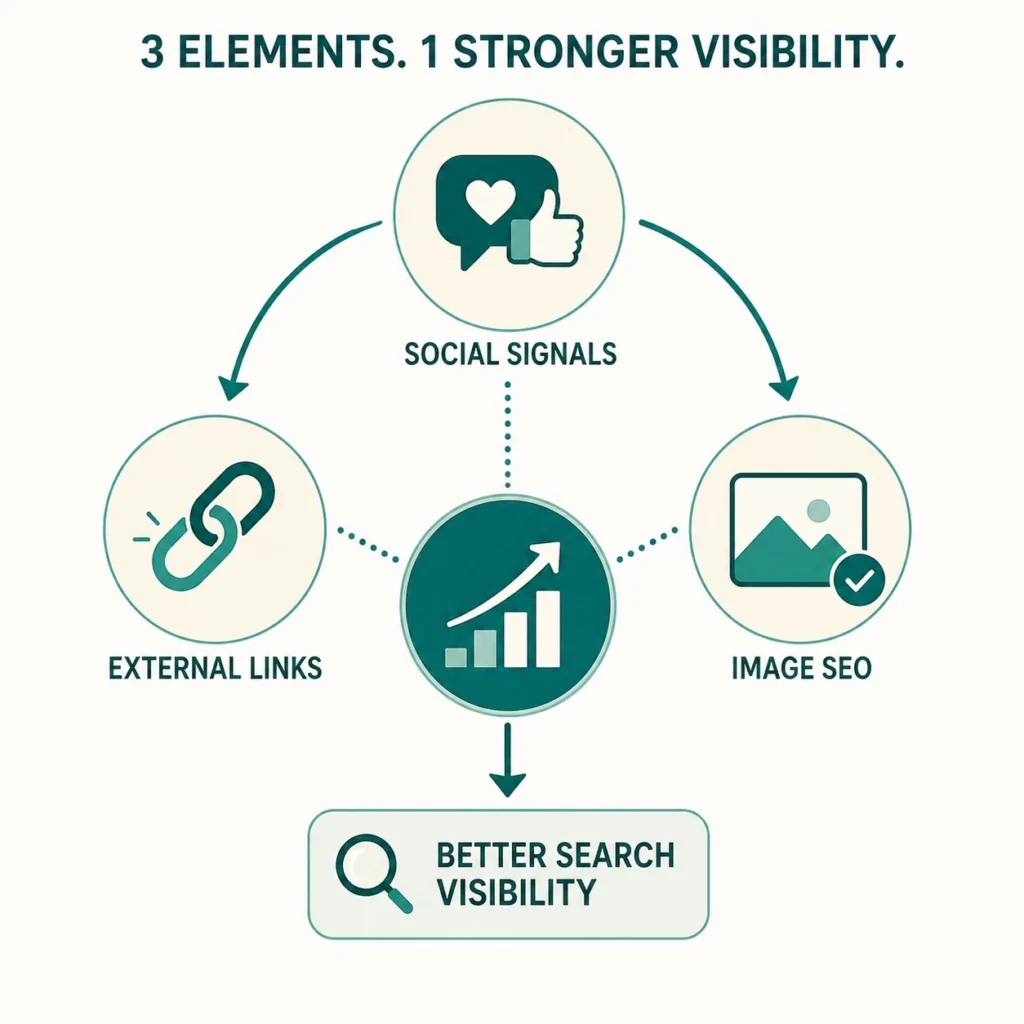
Image Search Optimization
Learning how to perform image search on Google reveals another traffic opportunity.
Your website likely has medical images. These can appear in image search results and drive patients to your site.
Optimize images by:
- Using descriptive filenames (knee-pain-surgery.jpg not image123.jpg)
- Adding alt text describing the image
- Compressing images for fast loading
- Using images in blog content
Image search traffic appears in your Search Console Platform Properties as an organic search. Optimize images to capture this traffic.
URL Inspection Tool for Performance Optimization
The URL inspection tool in your Search Console Platform Properties shows detailed information about specific pages.
Use the URL inspection tool to:
- Verify Google can crawl your page
- Check mobile usability
- See Core Web Vitals data
- Identify indexing issues
- Test rich results
The URL inspection tool helps you troubleshoot pages that aren’t performing well in your Google Search Console performance report.
Practical Implementation: Your 30-Day Action Plan
Week 1: Set up Search Console Platform Properties correctly. Verify all properties. Ensure domain property captures everything you need.
Week 2: Analyze your Google Search Console performance report. Identify your top-performing keywords and pages.
Week 3: Test mobile user experience. Ensure responsive web design works perfectly on phones. Check Core Web Vitals data in Search Console.
Week 4: Optimize top-performing pages further. Improve click-through rate. Add social signals through Facebook, Instagram, and LinkedIn.
They are different ways to organize and track your website data in Google Search Console. Domain properties cover your entire website, subdomain properties cover specific subdomains, and URL prefix properties cover specific paths. Each gives you separate performance data.
It shows impressions, clicks, click-through rate, and average ranking position. Use this data to identify which keywords drive traffic and which pages need optimization.
Organic search is when patients find you through Google without clicking ads. Paid search is Google Ads. Organic search typically converts better and builds long-term visibility.
Poor mobile experience lowers your ranking. Responsive web design ensures your site works perfectly on phones, improving both rankings and conversions.
Active Facebook, Instagram, and LinkedIn presence sends trust signals to Google, reinforcing your online presence and improving overall search visibility.
Track impressions, clicks, click-through rate, and average position. Watch for keywords with high impressions but low clicks and monitor position changes over time.
The Right Setup Changes Everything for Your Practice
Search Console Platform Properties show you exactly how patients find your practice in organic search. Combined with Google Business Profile optimization, mobile user experience, and social signals, it builds a complete digital strategy.
Integrate Point specializes in healthcare digital marketing, helping practices set up Search Console Platform Properties correctly, analyze monthly performance reports, and implement organic SEO linking strategies, while also serving businesses across other sectors with the same data-driven approach, including Facebook, Instagram, and LinkedIn SEO integration.
Your practice ranks higher. Patients find you consistently. Patient volume grows sustainably.
Stop guessing about your search performance. Schedule a consultation with Integrate Point today at integratepoint.com.