
Every day, Texas, US clinics lose potential patients, not because of poor care, but because their websites don’t appear in “near me” voice searches.
When someone says, “Hey Google, urgent care near me” or “cardiologist near me”, Google shows only a few clinics. If your site isn’t mobile-optimized or voice-ready, you’re invisible—especially in urgent cases.
- Why Voice Search Optimization Matters for US Clinics & Healthcare Practices
- The Mobile-First World: Why Your Clinic's Website Must Be Responsive
- The Rise of Voice Search: Are You Speaking Your Patients' Language?
- How Texas Clinics Can Optimize Their Sites for Voice Search & Mobile Patients
- The Future is Speaking – Are You Listening?
- Stop Losing Patients to “Near Me” Searches
Why Voice Search Optimization Matters for US Clinics & Healthcare Practices
Imagine this: A patient in Frisco feels some chest discomfort. They grab their phone and say, “OK Google, find a cardiologist near me.” Will your clinic show up?
According to Google, more than 50% of smartphone users now use voice search daily—and that number is even higher among those searching for urgent care or specialty clinics.
2025 Data:
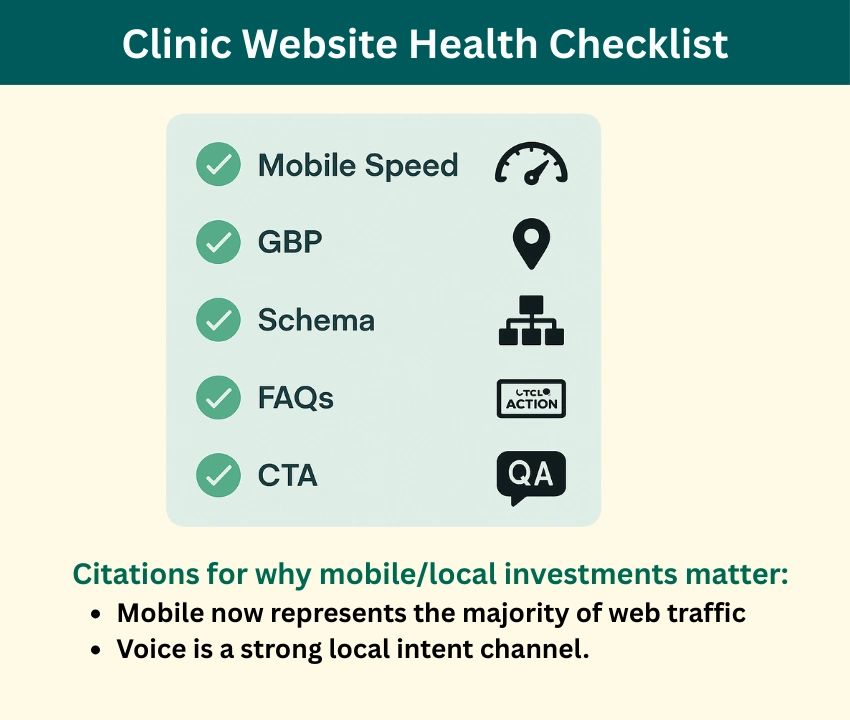
- 58% of healthcare searches now happen on mobile devices
- 46% of voice searches have local intent (“near me”)
- Clinics optimized for mobile-first indexing see up to 2x higher patient inquiries
- Page load delays of 3+ seconds cause 53% of mobile users to leave
That one voice command is changing the game in local healthcare marketing. This shift means that optimizing your clinic’s website for voice search and ensuring it’s mobile-friendly aren’t just good ideas – they’re absolutely essential for growth and patient acquisition.
Let’s break down how to fix that.
The Mobile-First World: Why Your Clinic’s Website Must Be Responsive
Think about your own habits. How often do you access the internet from your phone versus a desktop? Most likely, your phone is your main access point to the internet. Your patients are no different.
- Responsive Design is Non-Negotiable: A mobile-optimized website (often called “responsive design”) automatically adjusts its layout, images, and text to fit any screen size – from a tiny smartphone to a large desktop monitor. If your site isn’t responsive, it’s likely:
- Hard to Read: Tiny text, squished images, or horizontal scrolling.
- Difficult to Navigate: Buttons are too small, menus are clunky.
- Slow to Load: Mobile users expect speed. If your site lags, they’ll bounce.
- Google’s Mobile-First Indexing prioritizes the mobile version of your website for ranking and indexing, meaning your mobile site is the primary version Google evaluates for search results. If your mobile site isn’t optimized, your visibility will take a hit—even if your desktop version is flawless.
- Patient Experience is Paramount: Frustrated patients won’t convert. A seamless mobile experience means they can easily find your contact info, schedule an appointment, or access patient portals, reducing friction and improving satisfaction.
The Rise of Voice Search: Are You Speaking Your Patients’ Language?
“Hey Google, find an urgent care near me.” “Siri, what are the symptoms of [condition]?” “Alexa, book an appointment with a dermatologist in Dallas.”
Voice search is revolutionizing the way people search for health information online. As smart speakers and voice assistants become ubiquitous, patients are increasingly using natural language queries to find healthcare information and services.
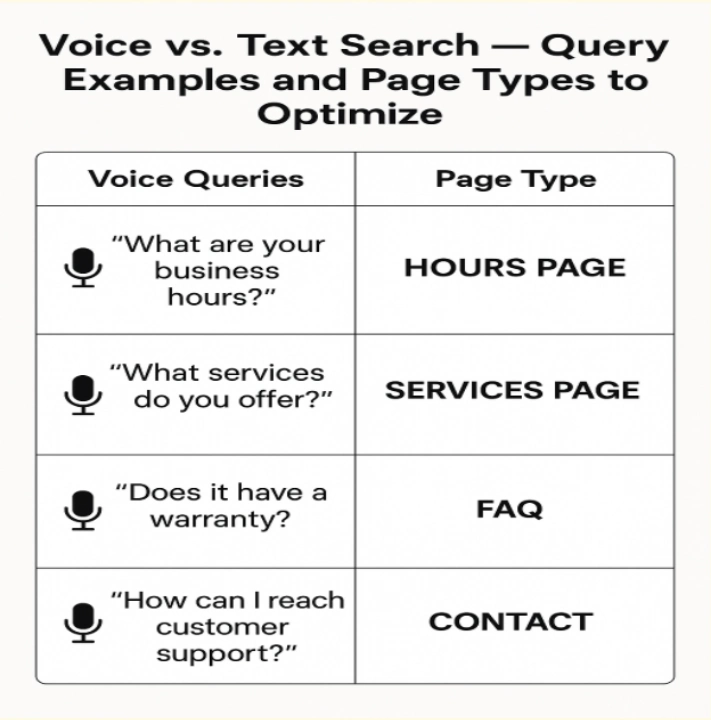
- Conversational Keywords: Unlike traditional text searches that use short, choppy keywords (e.g., “Dallas dermatologist”), voice searches are more conversational and question-based (e.g., “Who is the best dermatologist in Dallas?”).
- Local Intent is Primary: A lot of voice searches have local intent. Patients are often looking for services “near me” or in a specific geographic area.
- Featured Snippets and Direct Answers: Voice assistants often pull answers directly from Google’s Featured Snippets or provide a single, concise answer. Ranking for these “answer boxes” is crucial for voice search visibility.
How Texas Clinics Can Optimize Their Sites for Voice Search & Mobile Patients
Texans don’t always say “cardiologist in 75070”—they say things like:
- “Cardiologist that takes Blue Cross near me”
- “Heart doctor open this Saturday in Plano”
- “Female cardiologist near North Dallas”
So, how can your clinic ensure it’s ready for the mobile and voice revolution?
1. Prioritize Mobile Responsiveness
- Audit Your Site: Use Google’s Mobile-Friendly Test to see how your site performs.
- Invest in Responsive Design: If your site isn’t responsive, it’s time for an upgrade. This is foundational.
- Optimize Load Speed: Compress images, leverage browser caching, and minimize code to ensure your site loads quickly on mobile networks.
2. Embrace Conversational SEO for Voice Search
- Think in Questions: Brainstorm common questions patients might ask about your services, conditions you treat, or your practice.
- Integrate Long-Tail Keywords: Instead of just “pediatrician Austin,” use phrases like “best pediatrician for newborns in Austin” or “pediatrician open Saturdays Austin.”
- Create FAQ Pages: Build out robust FAQ sections on your website that directly answer common patient questions. This is excellent content for voice search.
- Include questions people actually ask:
- “Do I require a referral to visit a cardiologist?”
- “Is heart pain an emergency?”
- “What insurance do you accept?”
- Use Natural Language: Write your website content in a natural, conversational tone, mirroring how people speak.
- Sprinkle in longer, natural phrases like:
- “Heart specialist near Frisco”
- “walk-in cardiology clinic open now in McKinney”
- “Cardiologist that accepts Medicare in Allen”
3. Strengthen Your Local SEO
- Google My Business (GMB) is Gold: Claim and fully optimize your GMB profile. To stay visible, it’s crucial that your clinic’s Name, Address, and Phone Number (NAP) remain consistent across all online platforms.
- Accurate Location Data: Clearly list your clinic’s address, hours, and phone number on every page of your website.
- Local Keywords: Incorporate city, neighborhood, and county names naturally into your website content (e.g., “Leading [Specialty] Clinic in [Your City], Texas”).
4. Structure Your Content for Clarity
- Use Headings (H1, H2, H3): Break up your content with clear, descriptive headings. This consistency boosts your credibility with search engines and helps voice assistants deliver accurate answers to prospective patients.
- Schema Markup: Implement schema markup (structured data) to tell search engines exactly what your content is about (e.g., your business type, services, address, reviews). This is particularly important for local and voice search.
If your site isn’t easy to navigate on a phone, patients will move on—especially in urgent cases.
The Future is Speaking – Are You Listening?
For Texas, US clinics aiming for sustained growth, ignoring voice search and mobile optimization is no longer an option. By making your website easy to find, use, and interact with on any device, and by speaking your patients’ language, you’re not just keeping up with the times – you’re building a more accessible, patient-friendly practice that’s ready for the future of healthcare marketing.
Stop Losing Patients to “Near Me” Searches
If your clinic isn’t optimized for voice search, mobile-first indexing, and local SEO, patients will choose competitors—especially in urgent situations.
At Integrate Point, we understand the digital habits of today’s patients—especially in a fast-moving market like Texas. Whether they’re whispering into smart speakers or searching for care on the go, your clinic needs to be right where they are.
- Improve visibility for “care near me”
- Increase appointment bookings
- Strengthen patient acquisition across Texas



I seriously love your blog.. Pleasant colors & theme.
Did you create this web site yourself? Please reply back as I’m
planning to create my own personal site and want to learn where you got
this from or what the theme is named. Many thanks!
Hi! Thank you for your comment.
Yes, we designed and created this website ourselves, including the theme, colors, images, layouts, and content.
If you’d like, we can help you design and build your own website exactly how you envision it. Just send us a message, and we’ll be happy to discuss options!